
Höre diesen Podcast kostenlos in der App: Kostenlos im App Store laden
radio.de
Sleeptimer
Sender speichern
389 Episoden
How to sell AI to Main Street (Full Playbook)
26.10.2026 | 44 Min.Get Your Complete Financial OS at https://startup-ideas-pod.link/brex_SIP
I sit down with James Dickerson, the Boring Marketer, who owns Diesel Dudes, a mobile diesel repair business in Charlotte, North Carolina, and spent years running agencies for local businesses. James shows how to sell AI-built funnels to Main Street trades businesses doing $2 million to $20 million a year, starting with a Boring Funnels search that found 100 Dallas plumbers worth pitching. He walks through the leaks he finds on their landing pages, the funnel offers he'd sell, and how he'd win clients with the Dream 100, lumpy mail, and local meetups. If you know how to use coding agents, this episode gives you a full playbook for a service business built around booked jobs.
Build funnels that sell: https://startup-ideas-pod.link/boring_funnels
Timestamps
00:00 – Intro
01:23 – Sponsor: Brex
02:08 – Why sell AI to Main Street
03:05 – James's Background
04:32 – Finding and Picking a Niche
07:26 – The $2M to $20M Opportunity
09:02 – Plumbing and HVAC Market Size
10:56 – Underserved Trades Niches
12:38 – Auditing Five Dallas Plumbers
13:50 – Personal Agents vs. Google
15:02 – Selling Booked Jobs and Phone Calls
17:41 – Funnel Offer Overview
19:43 – Funnel Example
23:19 – Matching Ads to Funnels
24:14 – Chet Holmes and the Dream 100
28:18 – Branding your Firm
30:04 – Meta Ads for your firm
31:37 – Stacking Old School and New School Marketing Strategy
34:31 – Find, Pitch, Deliver
36:02 – Showing Owners the ROI
37:37 – Pricing your Offer
41:45 – Reporting With AI
42:33 – Closing Thoughts
Key Points
Main Street trades businesses doing $2 million to $20 million a year have budgets and few useful pitches in their inbox.
James sells booked jobs and phone calls, since owners care about revenue and ROI over AI.
The biggest leaks sit on the landing page: missing ad promises, hidden Google ratings, and buried booking buttons.
Funnels with tripwires, instant prices, quizzes, and owner videos turn paid traffic into booked jobs.
The Dream 100, lumpy mail, and local meetups build trust with owners over months.
One free build in exchange for a case study gets you to paid work.
The #1 tool to find startup ideas/trends - https://www.ideabrowser.com
LCA helps Fortune 500s and fast-growing startups build their future - from Warner Music to Fortnite to Dropbox. We turn 'what if' into reality with AI, apps, and next-gen products https://latecheckout.agency/
FIND ME ON SOCIAL
X/Twitter: https://twitter.com/gregisenberg
Instagram: https://instagram.com/gregisenberg/
LinkedIn: https://www.linkedin.com/in/gisenberg/
FIND JAMES ON SOCIAL
X/Twitter: https://x.com/boringmarketer
LinkedIn: https://www.linkedin.com/in/jadickerson/The 9 Stages of AI Agent Adoption, Explained
21.10.2026 | 31 Min.In this solo episode, I break down the war on AI agents, from Amazon blocking Meta's Muse to Delta treating outside booking agents as unauthorized automated activity to Yelp charging agents for access. I share how I think about an agent, as a customer with a credit card who reads your site instead of looking at it, and the ladder of trust that runs from research to prepare to pay. Then I walk through each big player's bet, my nine stages for how this war plays out, five moves any business can make this week, and the startup ideas I see between agents and the businesses they buy from. If you run a store or build products, this episode gives you a map for selling to customers who send an agent to shop for them.
Timestamps
00:00 – Intro
02:09 –The Three Camps
05:08 – How I Define an Agent
06:52 – The Ladder of Trust
08:54 – Real Reasons to Block Agents
09:48 – What Agents Skip
12:57 – How Each Company is Playing it
17:06 – Lessons From Mint and Plaid
17:49 – The 9 stages of The War on Agents
21:56 – What to do this week
24:39 – Startup Idea 1: Agent Readiness
25:48 – Startup Idea 2: Plaid for One Vertical
26:22 – Startup Idea 3: Insurance for Agents
26:57 – Startup Idea 4: Analytics for Agent Traffic
27:26 – Startup Idea 4: Agent Specialist
28:05 – Closing Thoughts
Key Points
Agents read product details, prices, shipping, and return policies, so plain-text facts on the page decide whether they pick you.
Agents climb a ladder of trust from research to prepare to pay, and the whole fight happens on the pay rung.
Many blocks protect the ad and upsell revenue that agents skip on the way to the sale.
The biggest stores block, the biggest audiences open the door, and payment and security companies want the toll booth.
I expect a Plaid moment for agent identity and payments, followed later by ads that buy an agent's first recommendation.
Vertical Plaids, agent insurance, and agent analytics are open lanes for startups right now.
The #1 tool to find startup ideas/trends - https://www.ideabrowser.com
LCA helps Fortune 500s and fast-growing startups build their future - from Warner Music to Fortnite to Dropbox. We turn 'what if' into reality with AI, apps, and next-gen products https://latecheckout.agency/
FIND ME ON SOCIAL
X/Twitter: https://twitter.com/gregisenberg
Instagram: https://instagram.com/gregisenberg/
LinkedIn: https://www.linkedin.com/in/gisenberg/Making $$$ with Meta Muse AI
19.10.2026 | 24 Min.Get Your Complete Financial OS at https://startup-ideas-pod.link/brex_SIP
In this solo episode, I break down how to make money with Meta Muse by mining Facebook groups, Marketplace, and Instagram to match buyers with sellers. The idea came after my wife and I had a baby and the agency we hired for a night nurse admitted it found candidates in Facebook groups. I demo Muse finding night nurses at $30 an hour in Montreal, show how to give it a phone number through Bland AI, and share the Marketplace and Instagram tactics I'd use. I close with my four-level framework for growing a matching side business into a trusted list, a community, and a vertical software company.
Timestamps
00:00 – Intro
01:19 – Sponsor: Brex
03:22 – Meta Muse
03:52 – Why this is a big opportunity
04:33 – Picking a Niche, City, and Rules
05:44 – Owning the asset and data
06:51 – Cleaning Data You Own
08:27 – Lessons From eBay
10:37 – A Phone Number With Bland AI
11:30 – Undervalued Facebook Groups
12:55 – Business Pages and IG Niche Pages
13:46 – Prompting Muse Into Facebook Groups
15:19 – Mining FB Marketplace and Instagram
17:20 – Four Levels of Personal Agent Arbitrage
20:38 – Results From Montreal Groups
21:40– Goods vs. Services
22:15 – Muse vs. Dots and Instinct
24:09 – Closing Thoughts
Key Points
Muse mines public Facebook groups, Marketplace, and Instagram to match buyers and sellers in any niche and city.
A clean list of names, needs, prices, and trust signals is an asset I own and can sell later.
Facebook groups, business pages, and IG niche pages look undervalued as Muse agents start crawling them.
I tell Muse where to look, and Facebook groups gave me the highest quality data.
My four levels: mine the data, own the list, own the room, then build technology.
A lean cost structure lets me charge a success fee of a few hundred dollars and keep high margins.
The #1 tool to find startup ideas/trends - https://www.ideabrowser.com
LCA helps Fortune 500s and fast-growing startups build their future - from Warner Music to Fortnite to Dropbox. We turn 'what if' into reality with AI, apps, and next-gen products https://latecheckout.agency/
FIND ME ON SOCIAL
X/Twitter: https://twitter.com/gregisenberg
Instagram: https://instagram.com/gregisenberg/
LinkedIn: https://www.linkedin.com/in/gisenberg/Gemini 4 Argon: AI Marketing, 3D Printing and SaaS
15.10.2026 | 30 Min.Gemini 4 Argon is LIVE, Google's most advanced AI model, try it for yourself: https://startup-ideas-pod.link/gemini4-argon
In this solo episode, I share what I learned after a week with Gemini 4 Argon, Google's new frontier model. I show three places it shines: marketing with AI, physical AI, and complex engineering, with a real build for each. You'll see Argon rebuild my holding company's website, write a post in my voice, design a Shopify product customizer that exports STL files, and build a free quoting app for commercial cleaning companies. I close with six techniques that raise Argon's output quality and the Google AI plan I'd pick for building.
Timestamps
00:00 – Intro
01:35 – What Gemini 4 Argon Does Well
03:09 – Rebuilding the Late Checkout Website
07:49 – Justine Moore's Apple Computer Museum
09:20 – Using Argon for writing
13:03 – Physical AI and Vibe Manufacturing
17:41 – Made-to-Order Shopify Store
19:01 – Building Boring SaaS
21:59 – Commercial Cleaning Quote App
25:12 – 6 techniques to get the most out of Argon
28:39 – Closing Thoughts
Key Points
Argon produces premium creative work once I give it reference images and a clear direction.
A skill built from my posts, newsletters, and videos lets Argon write in my voice.
Argon builds Shopify product customizers that export print-ready STL files.
Free, focused rebuilds of boring legacy SaaS put me in front of likely buyers.
Argon gets the engineering right on prompt one, and design takes a few more rounds.
/plan, /subagents, and /goal give me the biggest jumps in output quality.
The #1 tool to find startup ideas/trends - https://www.ideabrowser.com
LCA helps Fortune 500s and fast-growing startups build their future - from Warner Music to Fortnite to Dropbox. We turn 'what if' into reality with AI, apps, and next-gen products https://latecheckout.agency/
FIND ME ON SOCIAL
X/Twitter: https://twitter.com/gregisenberg
Instagram: https://instagram.com/gregisenberg/
LinkedIn: https://www.linkedin.com/in/gisenberg/8 GitHub Repos To Go Viral and Make Money
08.10.2026 | 24 Min.In this solo episode, I walk through eight GitHub repos and AI skills that I test at night and on weekends. The list covers launch videos, social research, local voice and dubbing, editable decks, agent teams, lead-magnet tools, idea stress-testing, and design guidance. For each one, I explain what it does, how I'd set it up, and one concrete way to use it to make money or run a business more easily. Most are free to download, and you pay for the model you run them with.
Timestamps
00:00 – Intro
01:25 – Brag: Launch Videos From a Link
04:50 – Agent Reach for Customer Research
07:46 – Voice Studio: Local AI Voice and Dubbing
10:41 – PPT Master: Editable Decks From Notes
12:59 – OpenRig: Coding Agents as a Team
14:57 – Free Tools Skill by Corey Haynes
17:25 – Grill Me Skill by Matt Pocock
19:31 – Impeccable: Design Guidance for Agents
23:03 – My Top Picks: Brag and Agent Reach
24:07 – Closing Thoughts
GitHub Repo Links:
Brag (launch video skill): https://startup-ideas-pod.link/brag
Agent Reach: https://startup-ideas-pod.link/agent-reach
Voice Studio: https://startup-ideas-pod.link/voice-studio
PPT Master: https://startup-ideas-pod.link/ppt-master
OpenRig: https://startup-ideas-pod.link/openrig
Free Tool: https://startup-ideas-pod.link/marketing-skills
Grill Me Skill: https://startup-ideas-pod.link/grill-me
Impeccable Skill: https://startup-ideas-pod.link/impeccable
Key Points
Most of these tools are free to download, and the main cost is the model you run them with.
Work I do for someone up front, like a launch video or a design fix, starts a conversation in place of a cold email.
Posts on Reddit, X, and YouTube show tasks people still do by hand, and a small tool can fix them.
Translated onboarding videos make a recurring monthly service for other companies.
Grill Me logs my assumptions so I check them with a real customer before I build.
Ten clients at $1,000 a month is $10,000 a month, and that cash flow funds the move from services to technology.
The #1 tool to find startup ideas/trends - https://www.ideabrowser.com
LCA helps Fortune 500s and fast-growing startups build their future - from Warner Music to Fortnite to Dropbox. We turn 'what if' into reality with AI, apps, and next-gen products https://latecheckout.agency/
FIND ME ON SOCIAL
X/Twitter: https://twitter.com/gregisenberg
Instagram: https://instagram.com/gregisenberg/
LinkedIn: https://www.linkedin.com/in/gisenberg/
Weitere Firmengründung Podcasts










Trending Firmengründung Podcasts






Über The Startup Ideas Podcast
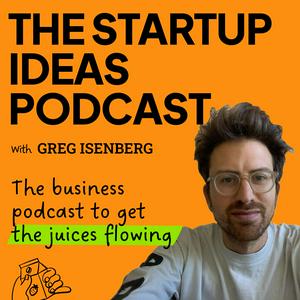
Get your creative juices flowing with The Startup Ideas Podcast. Published twice a week, we bring you free startup ideas to inspire your next venture. Hosted by Greg Isenberg, CEO of Late Checkout and former advisor to Reddit and TikTok. Subscribe so you don't miss out.
For more startup ideas, we created a database of 30+ startup ideas you can take at https://gregisenberg.com/30startupideas
Podcast-WebsiteHöre The Startup Ideas Podcast, Founder Mode und viele andere Podcasts aus aller Welt mit der radio.de-App
Hol dir die kostenlose radio.de App
- Sender und Podcasts favorisieren
- Streamen via Wifi oder Bluetooth
- Unterstützt Carplay & Android Auto
- viele weitere App Funktionen
Hol dir die kostenlose radio.de App
- Sender und Podcasts favorisieren
- Streamen via Wifi oder Bluetooth
- Unterstützt Carplay & Android Auto
- viele weitere App Funktionen

The Startup Ideas Podcast
Code scannen,
App laden,
loshören.
App laden,
loshören.
The Startup Ideas Podcast: Zugehörige Podcasts
 Deutschland